Know what the business must keep—and what may be safe to pay yourself.
In about ten minutes, see what the business must cover and the maximum potentially available to pay yourself—using only cleared cash and payments actually on the way.
Plus any applicable sales tax shown at checkout.
Purchases are not open yet. Terms, privacy, and the 14-day refund policy will apply when checkout opens.
Can I pay myself without taking money the business already needs?
- Cleared cash only
- Confirmed income only
- Required bills and delivery costs protected
- Tax reserve and operating floor shown separately
See the answer—and why it is conservative.
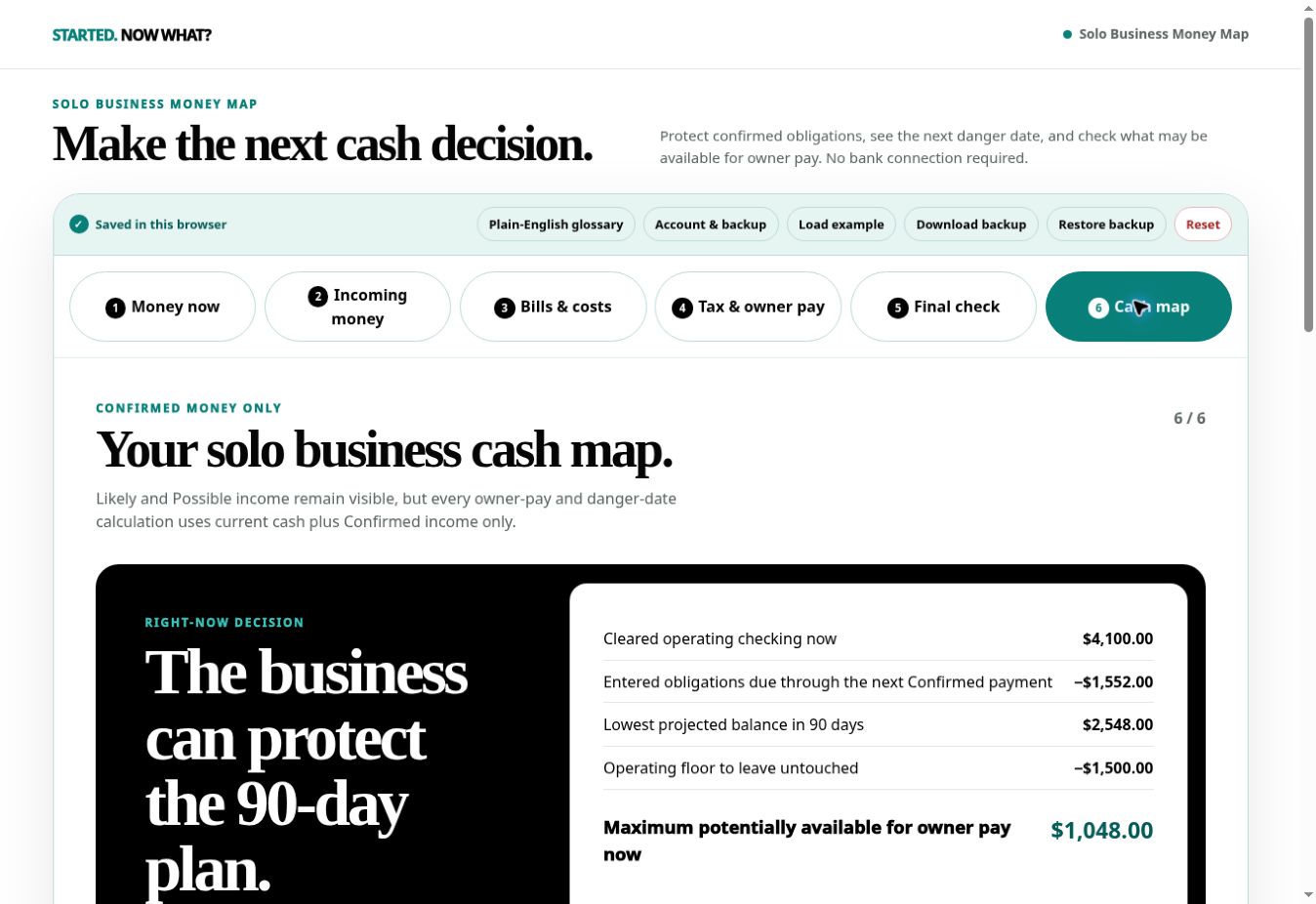
The result separates money already committed from the maximum that may be available for owner pay. Likely and possible income remain visible, but never become spendable cash.
Build the useful answer before touching the optional books.
The first path is six short steps. Manual books and invoices stay optional afterward, so you do not have to configure a miniature accounting system to get a cash decision.
The facts the business already knows
- Cleared operating cash and business savings
- Confirmed, likely, and possible incoming payments
- Processing fees and direct delivery costs
- Bills, subscriptions, card payments, and due dates
- Your tax-reserve planning assumption
- The minimum cash cushion you do not want to cross
A decision you can inspect
- Maximum potentially available for owner pay now
- What must remain for bills, delivery, and taxes
- The next cash-danger date
- How long current cash lasts if no more payments arrive
- 30- and 90-day cash forecasts
- A downloadable, printable cash-map summary
Made for a solo owner with messy timing—not a complex accounting department.
This is a cash and owner-pay decision tool with optional manual records. It is not an accounting-software substitute and it does not replace professional advice.
It may fit if you…
- Run one service, creator, freelance, or simple digital business by yourself
- Receive money on uneven dates and need to protect upcoming costs
- Want a conservative owner-pay ceiling before moving cash
- Will enter and update the numbers yourself
- Want optional invoices and manual books after the cash answer
Do not buy it if you need…
- Bank feeds, automatic transaction categorization, or reconciliation
- Payroll, sales-tax calculation, tax filing, or tax advice
- Inventory, job costing, multicurrency, or multi-entity accounting
- Multiple users, accountant permissions, or approval workflows
- A replacement for Xero, QuickBooks, an accountant, or a bookkeeper
No bank connection. No account numbers.
The app asks for planning amounts and dates—not bank usernames, passwords, routing numbers, full account numbers, Social Security numbers, or tax documents.
Your plan saves immediately in your browser. When private cloud backup is enabled for your account, the saved plan is encrypted before storage. You can download a backup, restore it, export a summary, print the cash map, and delete hosted data.
$49 once. No subscription.
One purchaser receives access for one user and one business while Solo Business Money Map remains operated. The purchase does not promise perpetual hosting, every future upgrade, or unlimited personal support.
The $49 price does not include applicable sales tax, which Stripe shows separately at checkout.
Refunds, support, and the boundary.
What is the refund policy?
Purchases made while the current policy is effective can be refunded within 14 days. A full refund ends access and removes the encrypted hosted workspace; a browser-local copy remains on the customer’s device until it is cleared there. Read the refund policy.
What does support cover?
Support covers access, backups, and how to operate the product. It does not select your tax percentage, categorize your books, or provide individualized financial, accounting, legal, or tax advice. The response target is two business days. Email [email protected].
Is the owner-pay number a recommendation?
No. It is a maximum potentially available under the facts and assumptions you confirm. You remain responsible for missing obligations, tax guidance, personal cash needs, and the final transfer decision.
Does it replace bookkeeping software?
No. Optional manual records can help a very small operation, but the tool does not automate feeds, reconciliation, payroll, inventory, or tax work. Use dedicated software or a professional when the business needs those jobs done.